Let Sammlo help you this storm season with 50% off onboarding until October 31, 2026. →
Sammlo™ Project Data Management
For forensic engineering & adjusting firms

Inspection to submittable report in 72 hours.

Turn your inspector's field photos and observations into a drafted, defensible report — in your firm's voice, in minutes. Your engineers review and sign, instead of writing from a blank page.

Whether your project is engineering, adjusting, or construction — Sammlo puts you on track.

See Plans & Pricing Log In
Defensible · built from your engineer's wordsYour data · isolated per firm
Field capture on a phone
Watch

See it, receipt to report

The SAMMLO workflow in about 30 seconds.

How it works

Field to finished report, in one flow

The same system your inspector uses in the field produces the report your engineer signs — no re-keying, no separate tools.

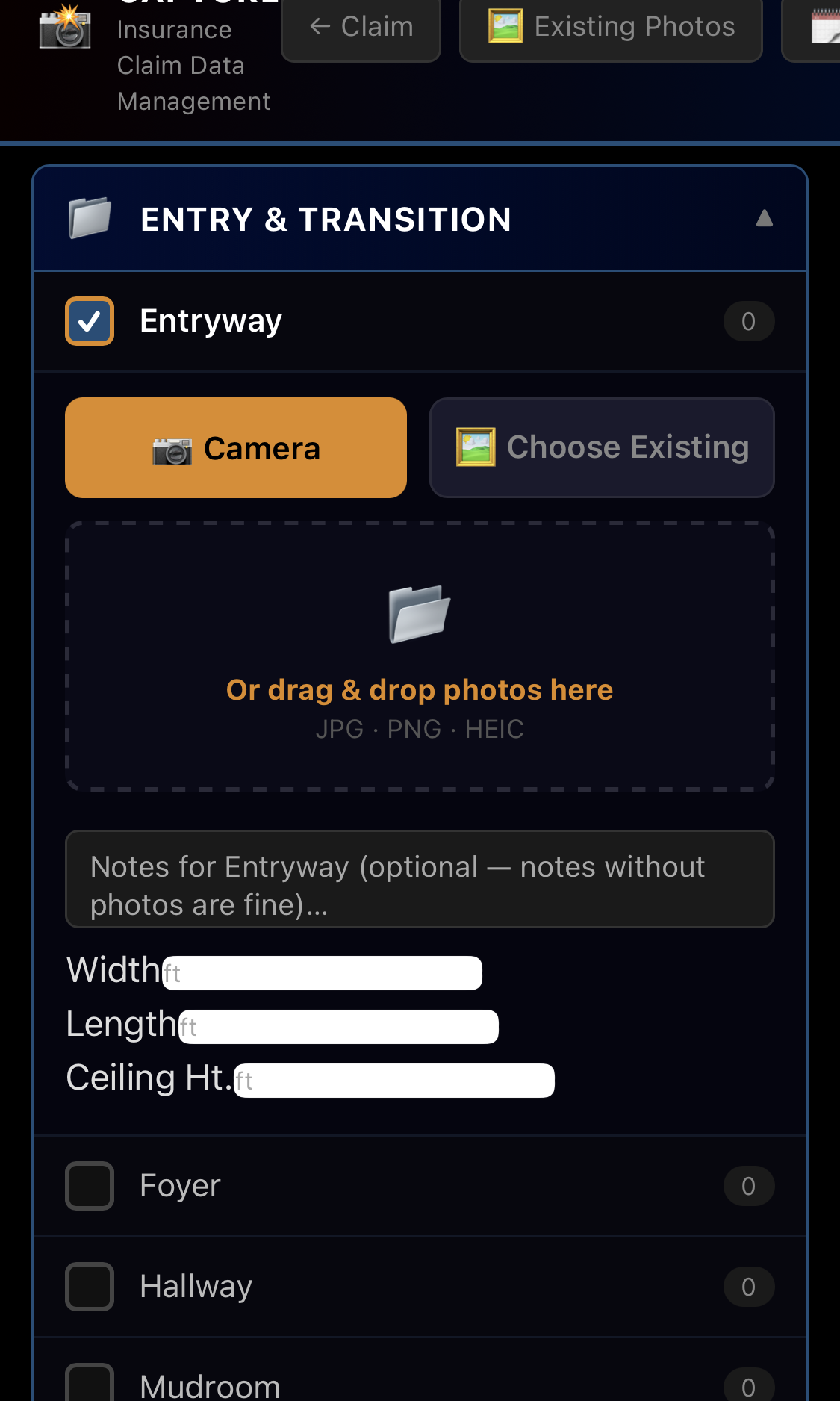
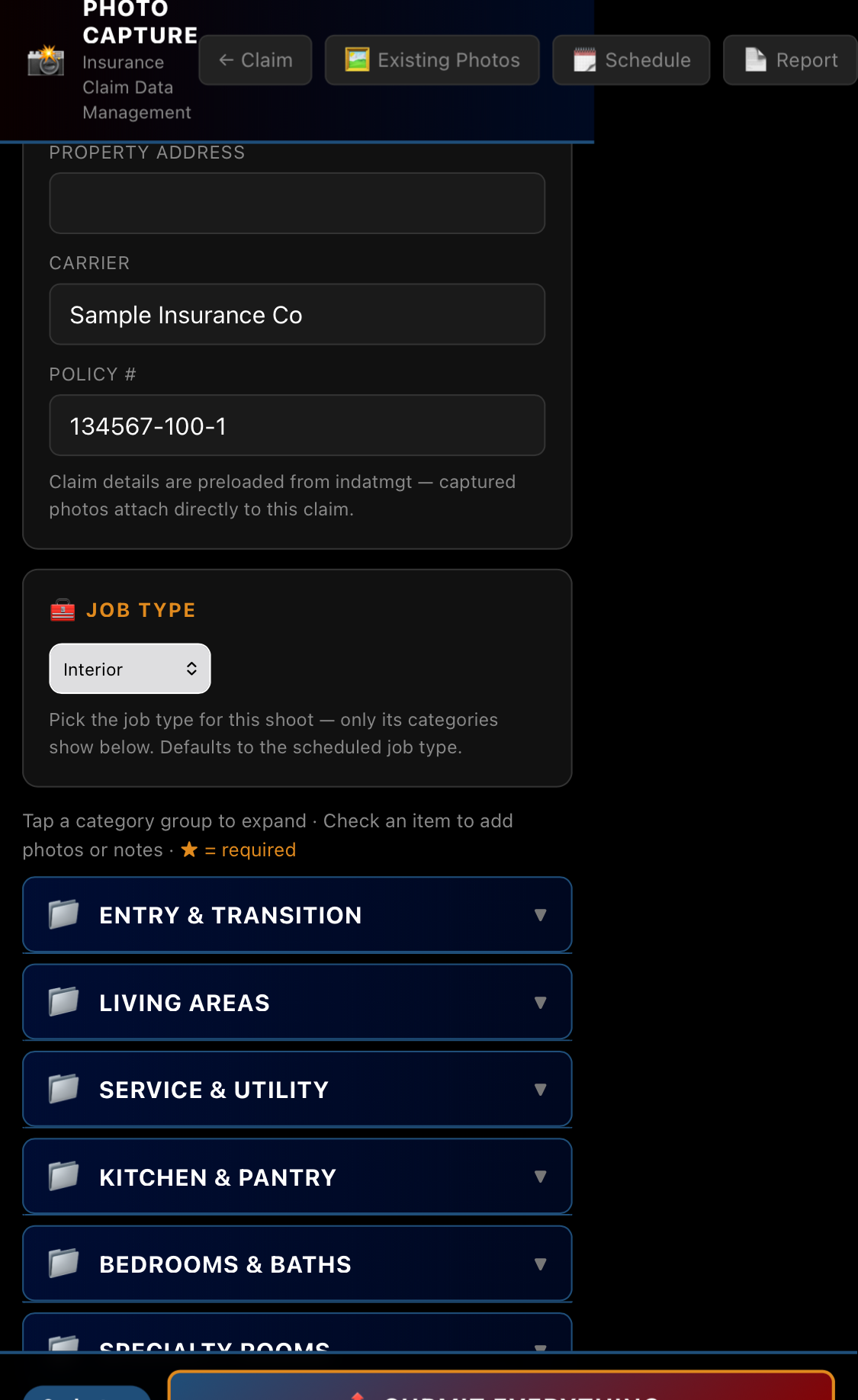
Capturing photos and notes by room
1

Capture in the field

Photos filed by area with date and location. The engineer dictates an observation under each one, in the moment.

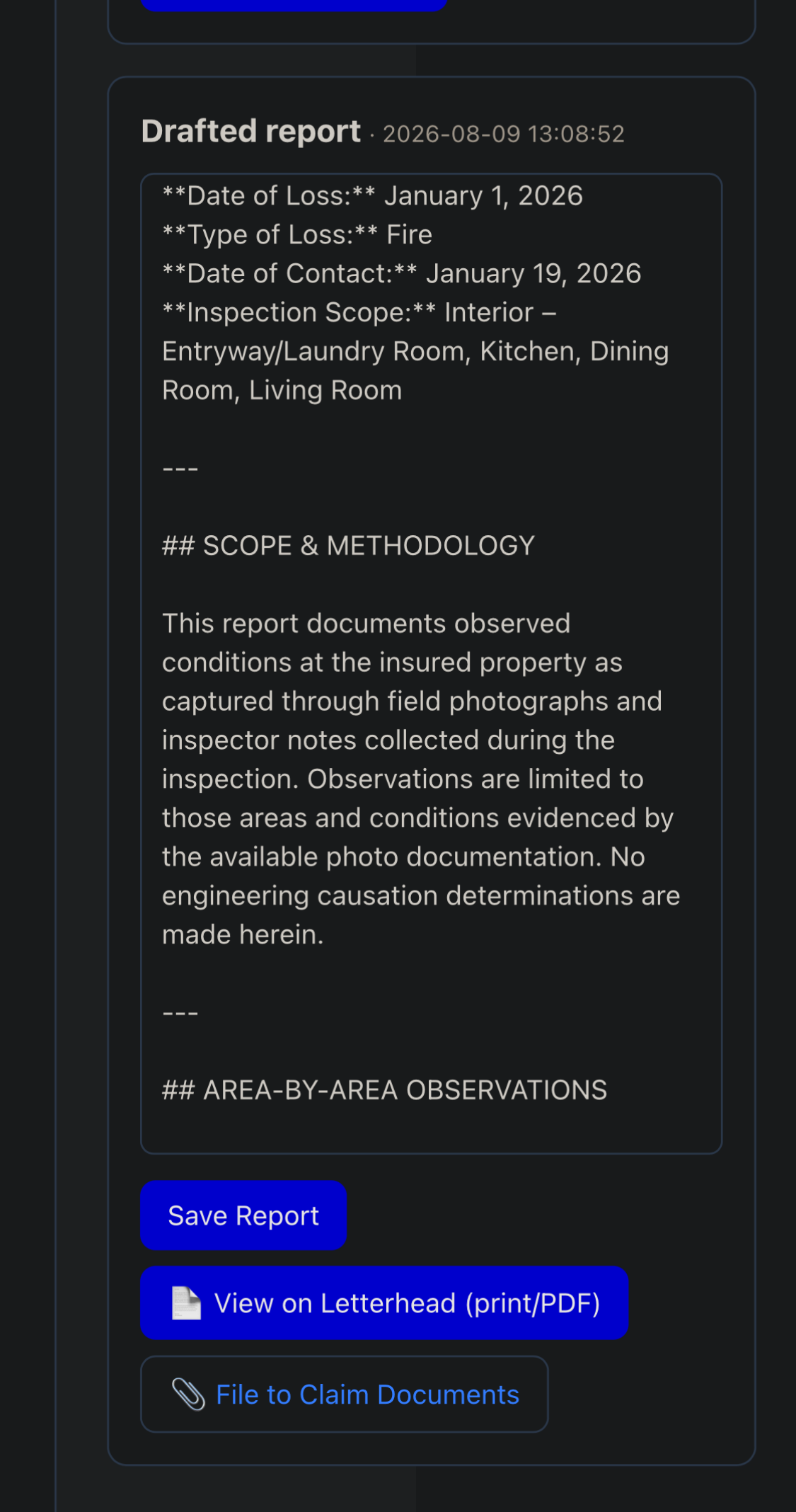
AI-drafted report
2

Generate the draft

One click turns those photos and notes into a drafted report — Engineering, Adjusting, or Contractor.

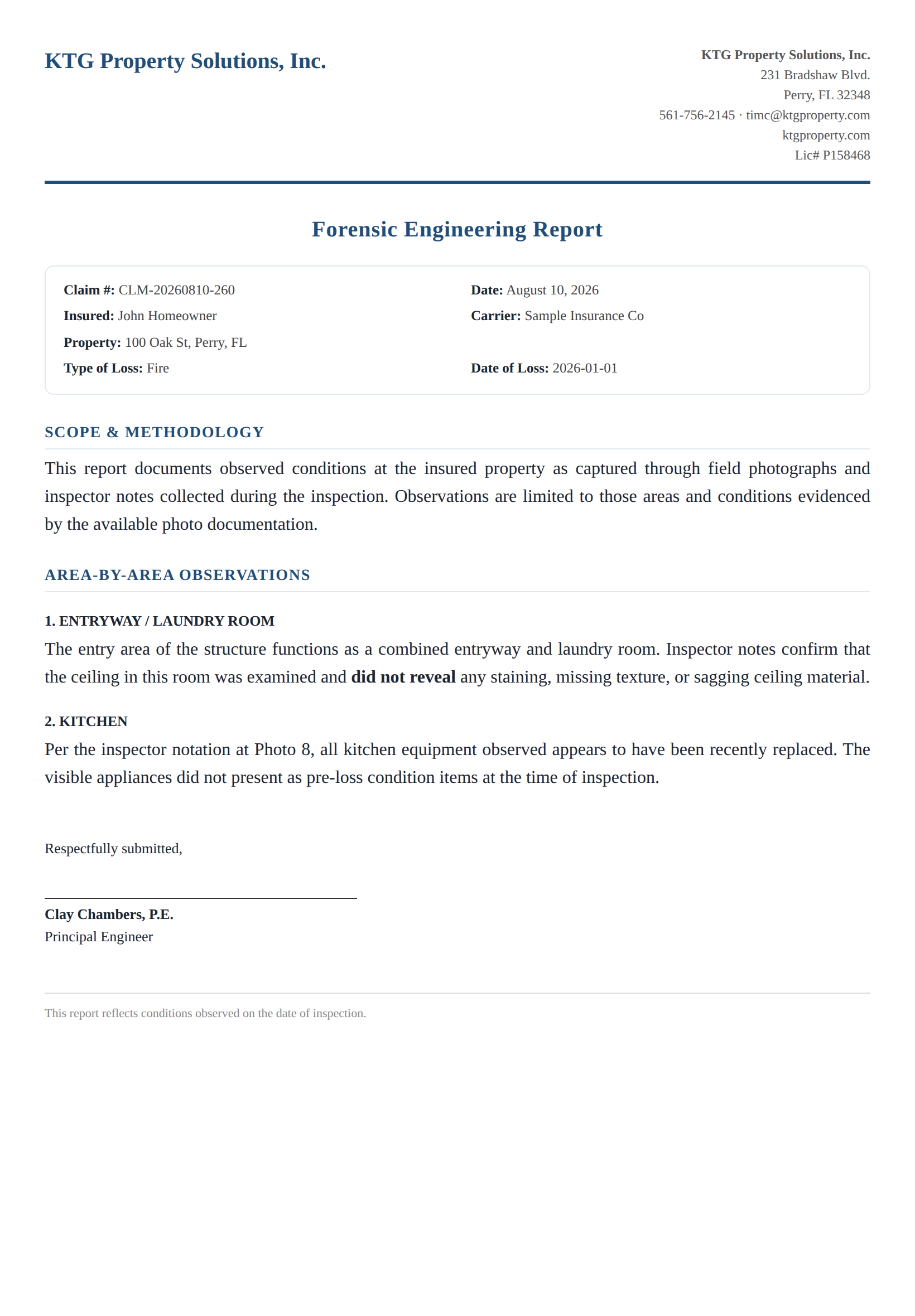
Report on company letterhead
3

Review, sign & package

Rendered on your letterhead. The engineer edits and signs; report, photos, and estimate file into the claim.

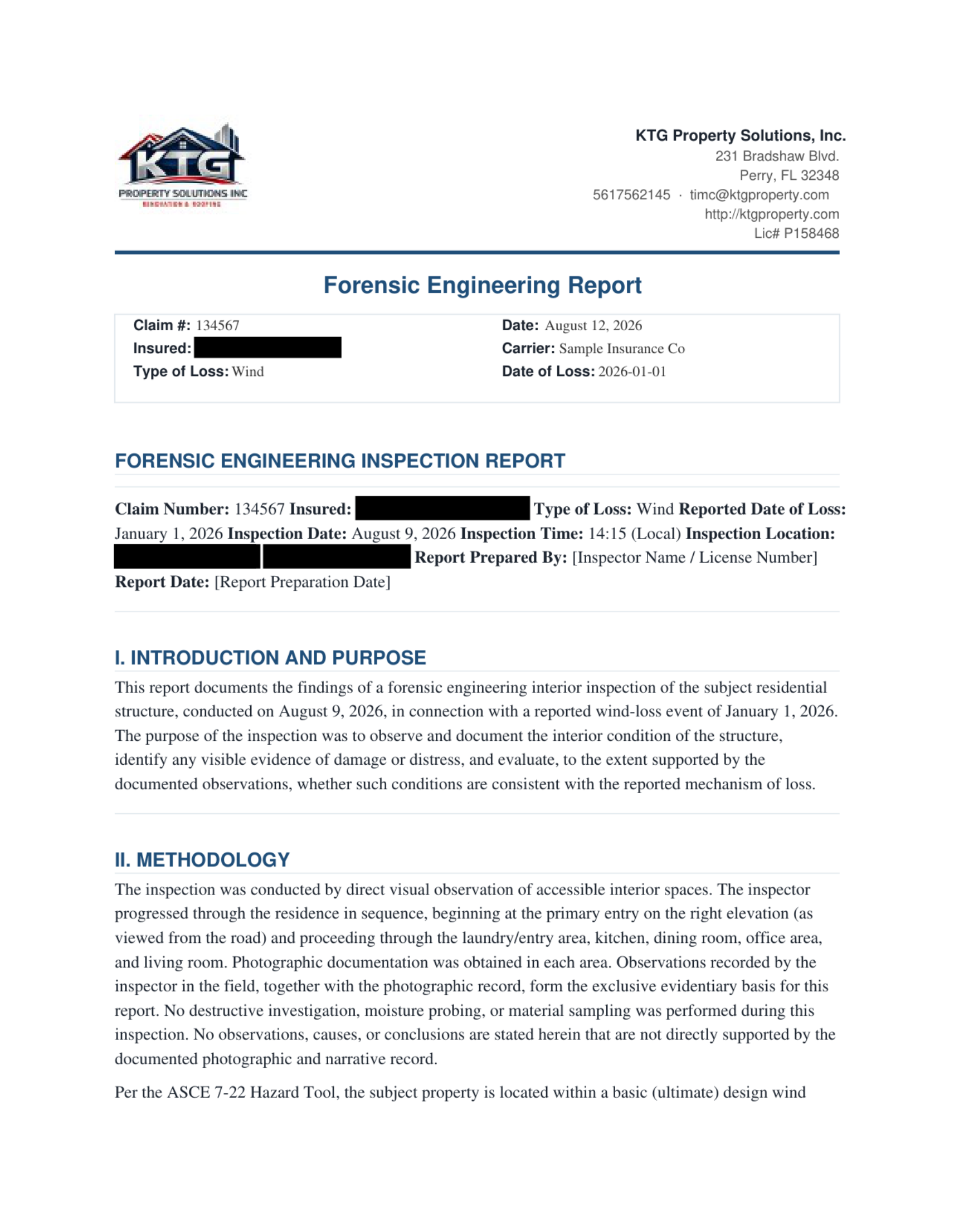
Finished forensic engineering report on letterhead — click to read the full sample Read the full sample report ↗

Their words, expanded — never invented.

The draft is built only from the photos and observations your engineer recorded. It organizes and expands their notes into report prose; it does not add damage, causes, or conclusions of its own.

▸Preview exactly what's sent before you generate — no black box.

▸Three report types, each in the right register for its audience.

▸The engineer reviews, edits, and signs every word.

Who it's for +

Forensic engineering firms

Where the report is the deliverable and the engineer's time is the cost. Collapse report-writing hours into a review pass — and protect defensibility, because the narrative is built from your engineer's own documented observations.

Independent adjusting firms

Where turnaround wins assignments. Field reps work on the estimate while the photo report and narrative report are generated, and the finished package goes out while the loss is still fresh.

Why it's defensible +

▸Built from your engineer's words. Expands and organizes the provided notes or recorded field observations to improve clarity, accuracy, and consistency. It does not infer, fabricate, or introduce damage, causation, engineering conclusions, or other conditions that are not supported by the source information.

▸You see exactly what's sent. Preview the full request — photos and notes — before generating.

▸Your data stays yours. Each firm runs on its own isolated database and its own AI key.

▸The engineer signs. Every report is a draft for your licensed professional to finalize and stand behind.

What you get +

▸ Field photo capture by inspection area, with re-inspection support.

▸ AI-drafted reports in three types, on your letterhead.

▸ Claim intake from documents, carrier & insured records, scheduling.

▸ Estimate summary import, three-repository document filing, invoicing.

▸ Isolated database per firm; your own AI key.

Questions

Frequently asked questions

The more you know before you sign up, the faster your office gets moving.

Getting started

How long until we're working? +

Your account is set up with your branding, report templates, and team during onboarding. Most firms are capturing inspections the same day setup is done.

What does setup include? +

Your own isolated database and file storage, your company logo on reports, your three report types, sample templates seeded, and your staff loaded.

Do we install anything? +

No. Sammlo runs in the browser on any phone, tablet, or computer — nothing to install, and it works in the field.

Adding projects & people

How hard is it to add a claim/project? +

A few fields and you're capturing — seconds. You can also start one from a document: upload a carrier assignment or intake sheet and Sammlo pre-fills it for your review.

How do we add staff? +

Drop a folder with the person's name into their role, fill a short info sheet, and hit Sync. They're in with the right access. A ready-made template folder shows the format, and a “pool” folder holds people you're not ready to activate.

Can we control who sees what? +

Yes — permissions are by role (view, edit, delete per area), with Select-All / Clear-All to set a role fast.

Can several people work at once? +

Yes. Engineers, adjusters, and contractors can work the same projects at the same time without overwriting each other.

In the field

How simple is capture? +

Open the project, tap the room, take photos — they file themselves by area, in order, with date and location. Add a new room or area on site if you need one.

Does it work with no signal? +

Yes. Photos save on the device and upload automatically when you're back in coverage.

Can I back photos up to my phone? +

Yes — one tap saves the whole set to your device's Photos album.

Can we schedule and route inspections? +

Yes — schedule an inspection with calendar invites, and box-select an area on the map to batch a day by location.

Reports

How fast is a report? +

Your photos and field notes become a drafted, organized report in minutes — your reviewer edits and signs instead of starting from a blank page.

Whose words are in the report? +

Only your team's. The draft is built from the photos and observations your people recorded; it doesn't invent damage, causes, or conclusions, and you preview exactly what's sent before generating.

Can we match our own format? +

Yes — build a report layout once and reuse it on every job, so every inspector's report looks the same.

Do templates fill in the details? +

Yes — claim and project details merge into your templates automatically, with no retyping.

Is the report tamper-evident? +

Each saved report gets a SHA-256 integrity seal, so you and the carrier know it hasn't changed.

Billing & accounting

Does it handle invoicing? +

Yes — generate an invoice from approved time, mileage, and expenses. Log work after the fact and add it to the invoice without double-counting; invoices lock once sent or paid.

Data, security & AI

Who owns my data? +

You do. Each firm runs on its own isolated database and file storage — your data is never mixed with another company's.

What's this about an AI key? +

You use your own AI key, billed to your account, so the drafting runs under your control. No key? You can still build the request, run it in any AI, and paste the result back.

How do updates work? +

We handle them. Improvements roll out without your office doing anything, and your data and settings are never touched.

Pricing & terms

What do I get for $59/mo? +

Report generation, review and signing, plus field capture, scheduling, and office work — up to 3 users included.

What's the $550? +

One-time account setup and onboarding. Through October 31, 2026 it's 50% off — $275 — as a storm-season offer.

Are there annual or custom plans? +

Yes — annual plans and custom options are available on request.

Can I export my data? +

Yes. Your reports, photos, and documents are yours to download, and a full export can be provided on request.

How do I get support? +

Reach us at timc@ktgproperty.com or (561) 756-2145. Setup gets your firm running, and we're a call away after.

Is there a contract — can I cancel? +

Plans are month-to-month with no long-term contract. Cancel anytime; your data stays yours.

See your own claim run end to end.

See the full workflow — capture to signed report — in the overview.

See Plans & Pricing Log In